
Joy-Con (L + R)
Press any button on your controller to beginAnalog Sticks
Position & distance from centreTriggers
Analog pressure 0 – 1Raw Data
Gamepad API outputVibration Test
Dual rumble motorsPress a preset to feel each motor.
Testing Joy-Con on a PC or Mac
Pair each Joy-Con over Bluetooth by holding the small sync button on the rail.
Spot Joy-Con Drift
Rest values far from zero mean dust or wear in the stick module.
Paired or Single
Chrome combines a left and right Joy-Con into one standard pad; single Joy-Con also work.
SL / SR Buttons
When held sideways, SL and SR appear as the shoulder buttons.
How to Test Joy-Con Controllers
- 1
Detach the Joy-Con from the Switch and hold the small sync button on the rail until the lights run.
- 2
Pair it in your computer's Bluetooth settings. It appears as Joy-Con (L) or Joy-Con (R).
- 3
Press any button on it so the browser exposes it.
- 4
Press every button, including SL and SR on the rail.
- 5
Rotate the stick, let go, and watch the resting value for drift.
Single Joy-Con vs a Pair
Each Joy-Con connects separately over Bluetooth. Some browsers combine a pair into one pad; others show two single controllers.
Held sideways, a single Joy-Con uses SL and SR as shoulder buttons, so check them when you test one alone.
Why Joy-Con Drift Is So Common
Joy-Con sticks are small potentiometer modules with tight tolerances. Dust and wear affect them more than larger sticks.
Drift often starts as a slight pull in one direction, then grows. Testing every few weeks shows whether it is getting worse.
Calibrating Joy-Con on the Switch
On the Switch, open System Settings, Controllers and Sensors, then Calibrate Control Sticks. Follow the prompts to set the centre and range.
Retest here afterwards. If drift remains after calibration and cleaning, the stick module has worn and needs replacing.
Joy-Con Buttons and Indices
A single Joy-Con usually reports raw mapping, so indices vary by browser. These are the buttons to check.
| Joy-Con | Buttons to test | Often missed |
|---|---|---|
| Left (L) | D-pad buttons, L, ZL, minus, stick click, Capture | SL and SR on the rail |
| Right (R) | A, B, X, Y, R, ZR, plus, stick click, Home | SL and SR on the rail |
| Pair | All of the above in one pad, on some browsers | Home and Capture |
Joy-Con Problems and Fixes
Try these steps before buying a new Joy-Con.
Drift
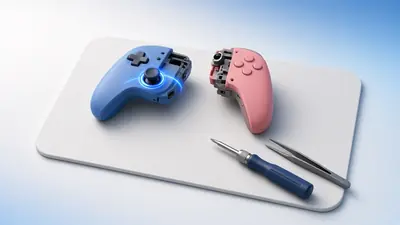
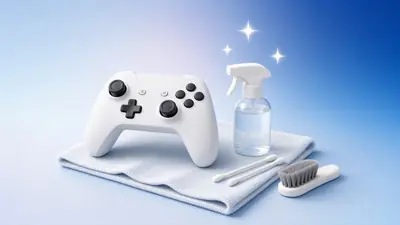
Calibrate the sticks in the Switch system settings, then clean around the stick base. Our Joy-Con drift guide covers each step.
Disconnects
Keep the Joy-Con within a few metres of the receiver. Hands and metal desks block its small antenna.
Rail not detecting
Clean the rail contacts with a dry brush. A bent pin on the rail needs a repair.
SL and SR not working
These sit on the rail and are used mostly in sideways mode. Press firmly; worn rails can stop them registering.
Frequently Asked Questions
Why do I see two controllers?
Some systems expose each Joy-Con separately. Use the P1–P4 selector to switch.
Can I fix Joy-Con drift?
Cleaning under the stick cap can help; replacement sticks are cheap and widely available.
Does rumble work?
HD Rumble is not exposed to browsers on most systems.
Will the IR camera or NFC work?
No — those features are not available to web pages.
Can I test Joy-Con on a phone?
Android can pair Joy-Con over Bluetooth, and Chrome reads them. iOS 16 and later also support Joy-Con.
Does this tester calibrate Joy-Con?
No. Calibration happens on the Switch under System Settings, Controllers and Sensors.
Why does my Joy-Con show fewer buttons?
Single Joy-Con use raw mapping in most browsers, and some buttons map to unusual indices. Press each one and watch the raw list.
Related guides
More tools you might need
Gamepad Tester
Test any gamepad online: live buttons, analog sticks, triggers, axes and rumble for Xbox, PS5, PS4, Switch and PC controllers.
Open tool →Xbox Controller Tester
Check every button, bumper, trigger and stick on an Xbox Series X|S, Xbox One or Elite controller.
Open tool →PS5 Controller Tester
Test a PS5 DualSense or DualSense Edge online: buttons, sticks, L2/R2 pressure, touchpad, light bar, gyro and battery.
Open tool →PS4 Controller Tester
Test a PS4 DualShock 4 online: every button, both sticks, L2/R2 pressure, touchpad, motion, rumble and battery.
Open tool →