
No controller — press any button · Put the controller down before starting the rest test.
Left Stick
Right Stick
Understanding Stick Drift
Drift is input reported while a stick is untouched.
Live Position
A large plot shows the exact stick position and a trail of recent movement.
5-Second Rest Test
We sample both sticks at rest and report the average offset and peak noise.
Deadzone Advice
Get a suggested deadzone that hides the measured drift without wasting range.
How to Test for Stick Drift
- 1
Connect the controller and press any button so the browser can see it.
- 2
Rotate each stick in three slow, full circles to wake the sensors and clear any stuck position.
- 3
Put the controller flat on a table and start the 5-second rest test. Do not touch it.
- 4
Read the peak value for each stick. Below 0.03 is normal noise; above 0.10 is real drift.
- 5
Flick each stick to the edge and let go. It should snap back under about 0.05 every time.
What Stick Drift Looks Like in Games
Drift shows up as a camera that slowly pans, a character that creeps forward or a menu cursor that scrolls by itself.
It usually starts small and only in one direction. Many players first notice it in shooters, where the aim keeps sliding off target.
Reading the Numbers
The X and Y values run from −1 to +1, so 0.05 means the stick reports five percent tilt while untouched.
Magnitude combines both axes into one distance from centre. The angle tells you which way it pulls, which helps when you clean the module.
The amber cloud plots every rest sample. A tight dot is healthy; a smear or a cloud away from the centre means worn or dirty sensors.
Before You Blame the Stick
Test with the controller lying flat and nothing touching the sticks. A thumb resting lightly on a stick is enough to read as drift.
Close Steam, DS4Windows and controller companion apps first. They can add their own offsets, which makes healthy sticks look faulty.
Stick Drift Thresholds
Use these ranges to read the peak value from the rest test.
| Peak at rest | Verdict | What to do |
|---|---|---|
| Below 0.03 | Healthy | Nothing. This is normal sensor noise. |
| 0.03 – 0.08 | Minor offset | A default game deadzone hides it. |
| 0.08 – 0.15 | Noticeable drift | Clean the stick, then raise the deadzone slightly. |
| Above 0.15 | Severe drift | Replace the stick module or the controller. |
Common Causes of Stick Drift and How to Fix Them
Most drift has one of four causes. Work through them from the cheapest fix to the most involved.
Dust and debris
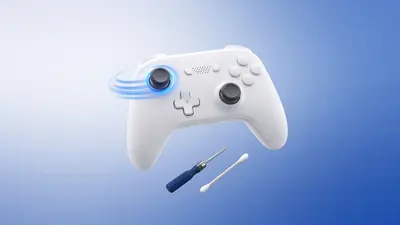
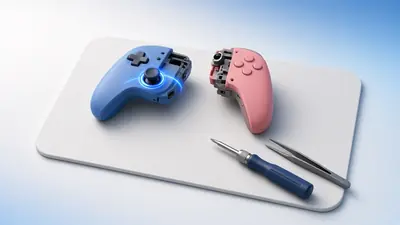
Grit inside the module shifts the reading. Spray contact cleaner or 99% isopropyl alcohol at the stick base and rotate it for a minute.
Worn carbon tracks
Classic potentiometer sticks wear with use, especially on DualSense and Joy-Con pads. Cleaning helps briefly; replacement is the real fix.
Weak centring spring
A tired spring stops the stick returning to the middle. The flick test above shows it as a different rest value after each release.
Software or calibration
Steam Input, DS4Windows or a game's own settings may add offsets. Close them and retest here to rule them out.
Raise the deadzone
If drift is small, set a deadzone just above the peak value. Our deadzone test previews the result.
Upgrade to Hall effect
Hall-effect and TMR sticks read magnets without contact, so they do not wear the same way. Many third-party pads and repair kits use them.
Frequently Asked Questions
How much drift is normal?
Values below about 0.03 are sensor noise. Above 0.1 you will usually notice movement in games.
What causes drift?
Worn potentiometer tracks, dust or debris, or a damaged spring in the stick module.
Will a deadzone fix it?
A deadzone hides small drift. Large drift needs cleaning or replacement.
Are Hall-effect sticks drift-proof?
They use magnets instead of contact tracks, so they are far more resistant to wear-related drift.
Can stick drift fix itself?
Sometimes drift caused by dust fades after heavy use, but worn tracks only get worse. Retest every few weeks to see the trend.
Is drift covered by warranty?
Usually yes, if the pad is still within its warranty period. Save a screenshot of this test as evidence before you contact support.
Why does only one direction drift?
Each axis has its own sensor. One worn or dirty track causes drift along a single axis, which is the most common pattern.
Does drift get worse in the cold?
Temperature changes can shift sensor readings slightly. Let a cold controller warm to room temperature before testing.
Related guides

More tools you might need
Deadzone Test
Measure stick rest noise and preview inner and outer deadzones live.
Open tool →Circularity Test
Rotate your sticks to measure circularity error, outer range and quadrant accuracy.
Open tool →Polling Rate Test
Measure your controller's polling rate in Hz with interval statistics and a live graph.
Open tool →Input Latency Test
Measure how quickly your browser detects controller presses and test your reaction time with a five-round button challenge.
Open tool →