Stick drift is when a controller reports movement while you are not touching the stick. Your camera pans or your character walks on its own.
This guide starts with free fixes and moves to repairs only when needed. Measure first, so you know whether each step actually helped.
What you need
- A controller and a USB cable
- Isopropyl alcohol (90% or higher) or electrical contact cleaner
- Cotton swabs and a soft brush
- Optional: replacement stick module and soldering kit
1Measure the drift
Open our stick drift test, connect the pad and run the 5-second rest test. Write down the peak value for each stick.
Below 0.03 is normal noise. Above 0.10 is drift you will notice in most games.
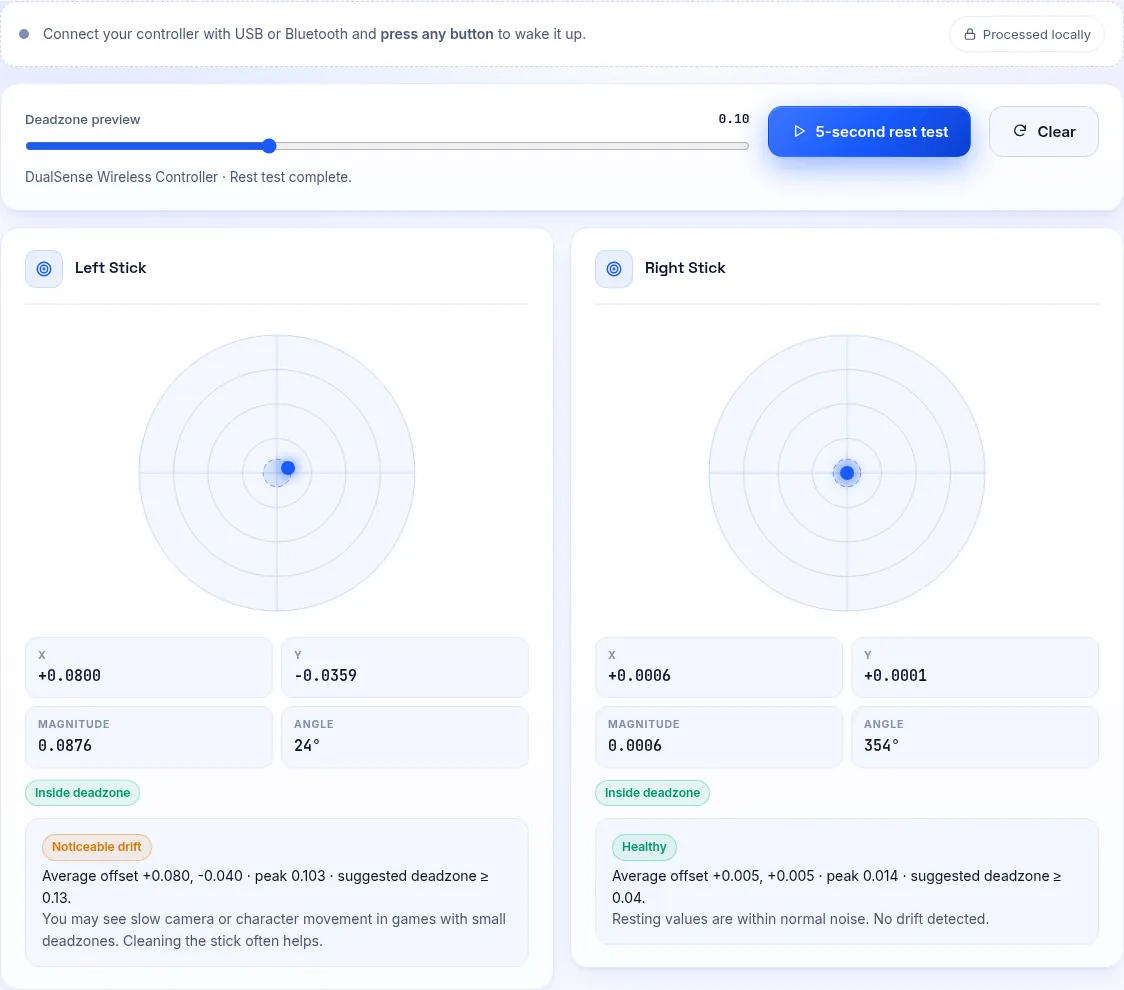
Our stick drift test after a rest test: the amber cloud sits away from the centre. 2Rule out software
Close Steam, DS4Windows and any controller companion app, then measure again.
If the drift disappears, the cause is a profile or calibration setting in that app, not the hardware.
3Clean around the stick
Turn the controller off. Tilt the stick fully to one side and apply a little alcohol or contact cleaner at the base.
Rotate the stick in full circles for a minute to work the cleaner into the sensor. Let it dry for ten minutes, then retest.
Dust collects around the stick base and inside the sensor tracks. 4Set a deadzone
If drift is small, set an inner deadzone just above the peak value. Our deadzone test shows the exact value to use.
Apply it in the game, in Steam Input or in DS4Windows.
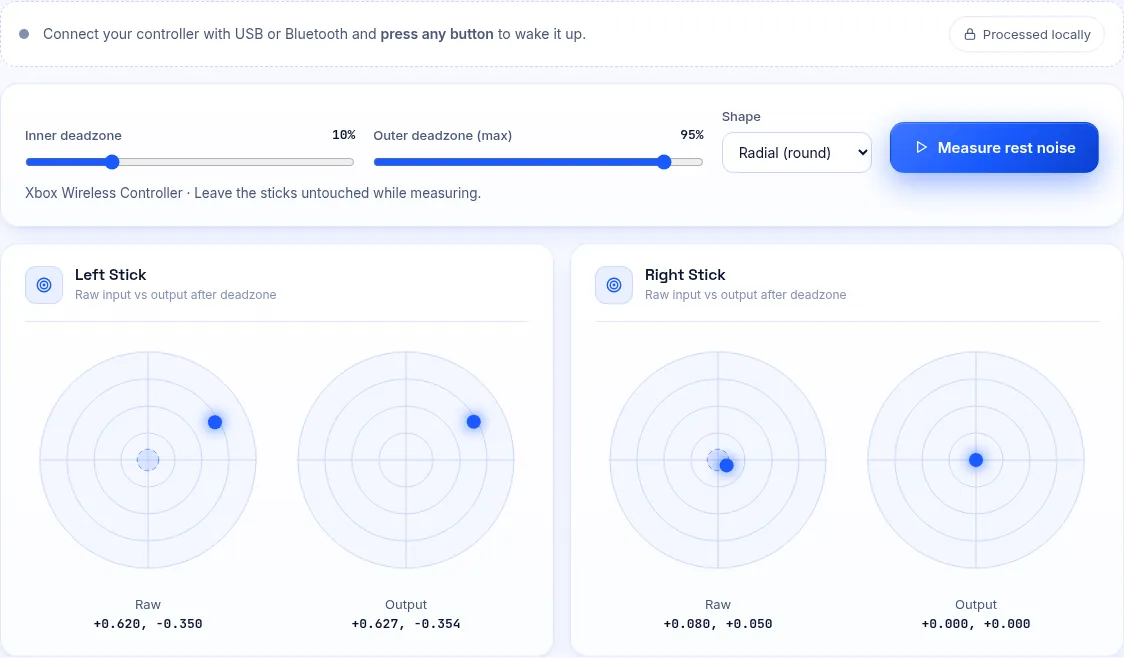
The deadzone test shows raw input next to the output a game would receive. 5Recalibrate
Switch, Steam and some Windows drivers can recalibrate sticks. See our calibration guide for each option.
PS5 and Xbox controllers have no user calibration, so skip to the next step if cleaning did not help.
6Replace the stick or claim warranty
If drift returns within days, the sensor tracks are worn. Check your warranty first, since drift is often covered.
Out of warranty, a replacement stick module or a Hall-effect upgrade kit fixes drift for good. It needs desoldering skills or a repair shop.
Why Stick Drift Happens
Most controllers use potentiometers: a wiper slides over a carbon track to measure position. Over time the track wears and dust gets in.
Hall-effect and TMR sticks measure magnetic fields instead, with no contact. That is why they resist drift much better.
Frequently Asked Questions
Does compressed air fix stick drift?
Sometimes, if loose dust is the cause. Use short bursts around the stick base. It will not fix worn tracks.
Is WD-40 safe for drift?
No. It leaves a residue that attracts more dust. Use electrical contact cleaner or high-strength isopropyl alcohol.
How long does a cleaning fix last?
From days to months. If drift keeps coming back, the module is worn and needs replacing.