Steam usually makes controllers easier to use. When it goes wrong, the cause is almost always a setting.
First check that the controller works outside Steam, then work through these fixes.
Check the Controller First
Close Steam completely and open our gamepad tester. If every input works, the hardware is fine and the problem is in Steam.
Turn On Steam Input for Your Controller
Open Steam, then Settings, Controller. Enable Steam Input for your controller type, such as PlayStation or Switch Pro.
Check Per-Game Settings
Right-click the game, open Properties, then Controller. Try switching the Steam Input override on or off.
Some games work best with Steam Input disabled; others need it enabled.
Remove Conflicts
DS4Windows, emulators and other remappers can create duplicate inputs. Close them, or turn off Steam Input for that controller.
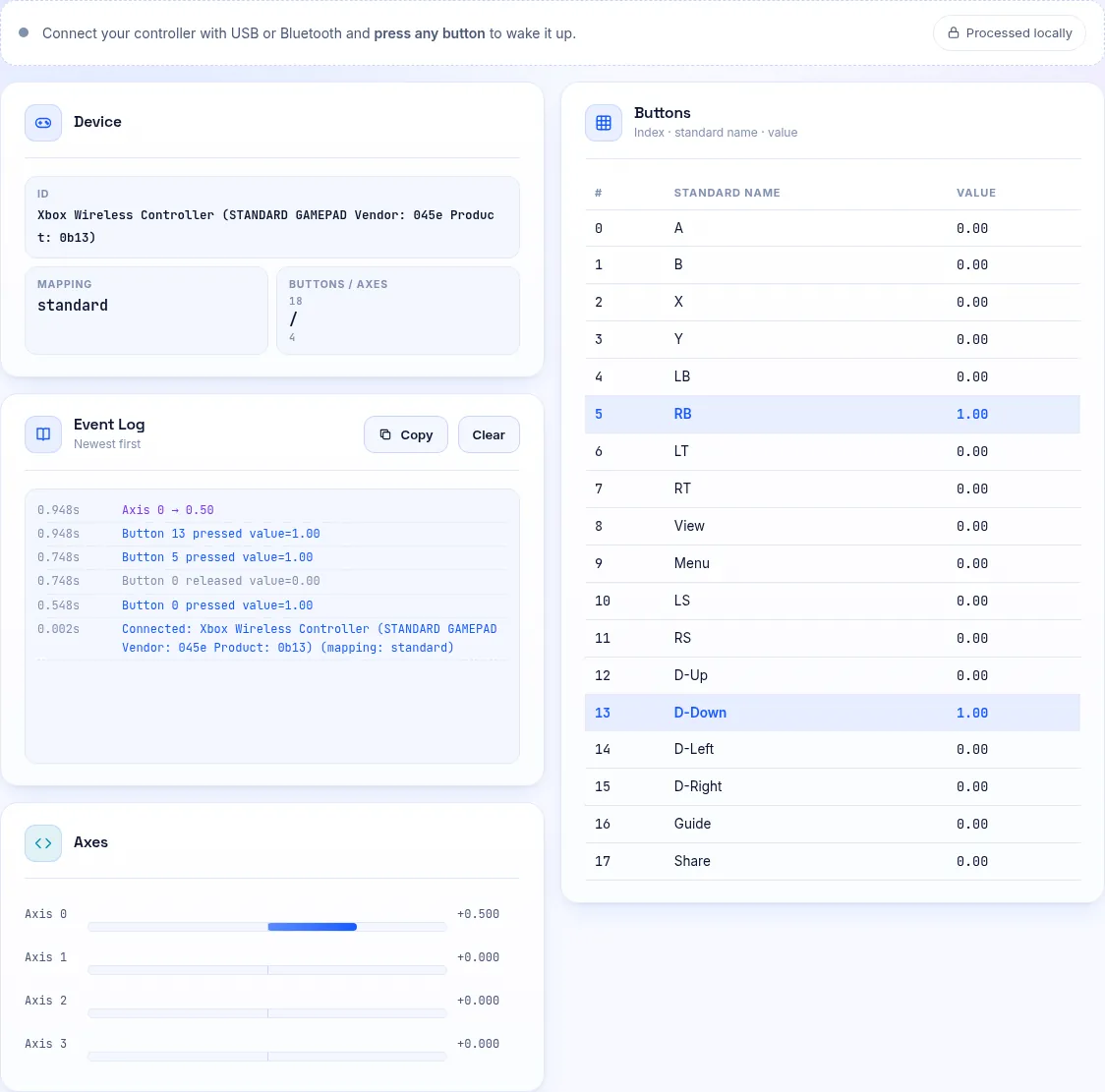
The button mapping test shows whether presses appear twice.
Reinstall Drivers
In Device Manager, uninstall the controller, unplug it and reconnect it. Restart Steam afterwards.
Frequently Asked Questions
Why does my controller work in Big Picture but not in games?
The game may need Steam Input enabled, or it only supports XInput. Try the per-game override.
Why do I get double inputs?
Two programs are reading the controller. Close DS4Windows or disable Steam Input for that pad.